 Omnimatch
 Saved collections
Save a result
Use the star control on a result you want to keep. Saved keeps the result card as you saw it, so you can revisit it even if the original source later changes.
Find a saved result
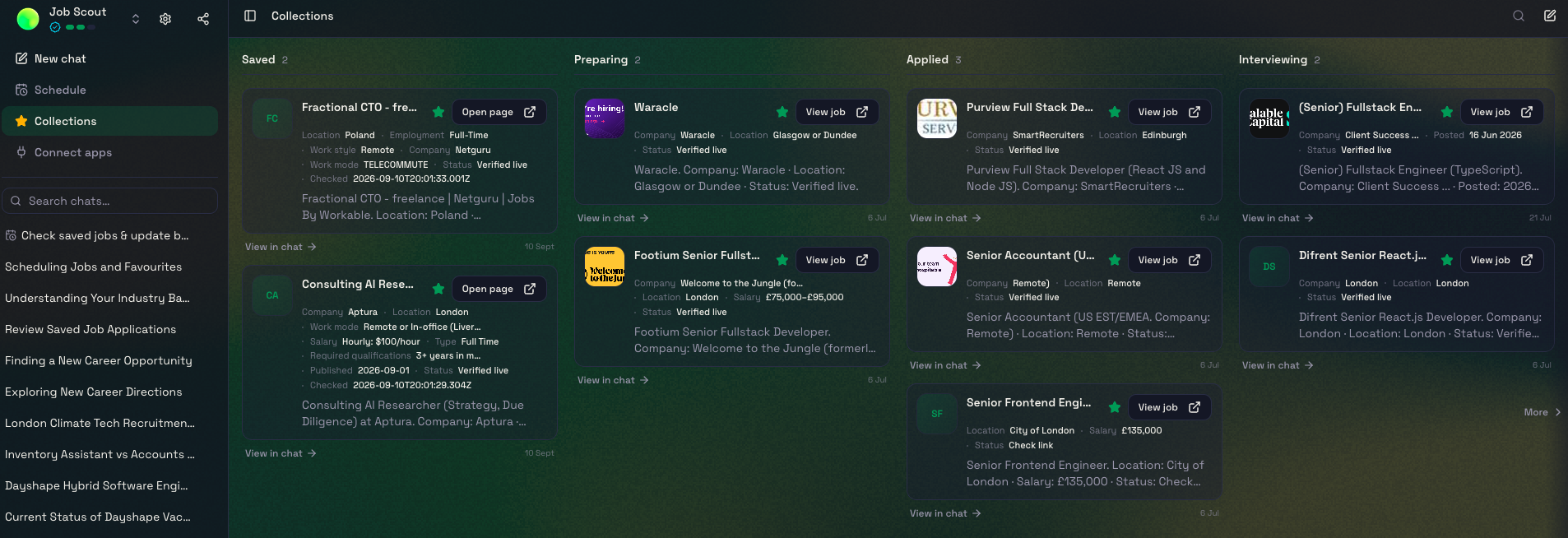
Open Collections in your agent’s sidebar to find the results you have saved. You can search for an item or use View in chat to return to the conversation it came from.
Use stages
Some agents organise your collection as a Kanban board. For example, Job Scout has columns for Saved, Preparing, Applied and Interviewing, so you can keep track of your job applications.
Drag an item into another column to change its stage. The agent builder chooses which stages make sense for that agent, so other collections may look different.
Remove a saved item
Use the star control again and confirm removal when prompted. This removes the saved item from your collection; it does not delete the original source.
If Saved is missing
The owner can enable or hide this capability for an agent. Sign in and check that you are using an agent which offers favourites.