Skip to content
Omnimatch DocsOpen app

Connect your apps

On this pageChoose an offered appAuthorise the connectionOffer apps on your agentCheck availability

Let an agent work with the external services its owner has made available to you.

Choose an offered app

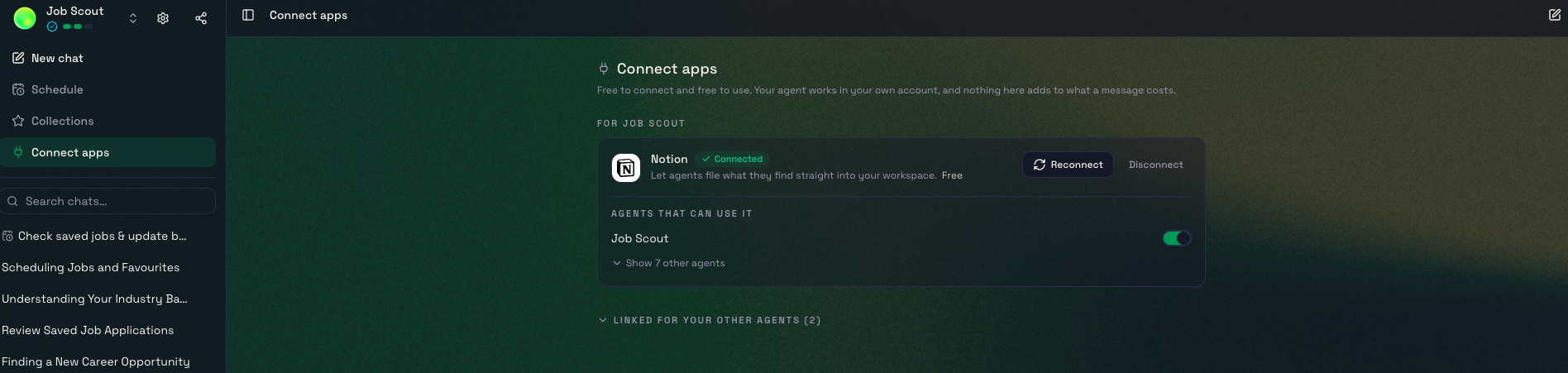
When an agent supports connected apps, open Connect apps or the named app shortcut in its chat. The owner selects which services the agent offers, so different agents can show different choices.

Authorise the connection

  1. Select an available service.
  2. Follow that service’s sign-in and permission flow.
  3. Review the requested access before approving.
  4. Return to the agent and ask it to perform a small task using that service.

The connection uses the permissions of the account you authorised. A connected account does not automatically give the agent access to every document in that service.

Offer apps on your agent

Open Manage → Apps and select the services you want users to connect, where supported. Each user connects their own account. This is different from an API tool that uses a credential stored in your agent’s Secrets.

Check availability

App availability depends on your edition, the agent’s configuration and the service’s setup requirements. For local API connections on a private installation, follow Add knowledge, data & tools.